

HyperFrames, ตัดต่อวิดีโอด้วย AI ผ่าน HTML แทนที่จะลาก timeline ใน Premiere
HyperFrames คือ framework ที่ใช้ HTML + GSAP + data-* attributes เป็น 'source of truth' ของวิดีโอ, เขียนได้ใน editor ปกติ, render ออกมาเป็น MP4 deterministic ทุกครั้ง, AI ช่วยเขียนได้เต็มที่. มี captions sync เสียง, TTS, audio-reactive, transitions, background removal ครบจบในตัวเดียว
ทุกคนที่เคยขอ AI ช่วยทำวิดีโอจะเจอกำแพงเดิม ๆ: ChatGPT/Claude เขียน code ได้สวย, generate prompt ได้แม่น, แต่ เขียน timeline ของ Premiere/After Effects ให้คุณไม่ได้, ไฟล์ .prproj กับ .aep เป็น binary ทึบ AI แตะไม่ถึง
ฝั่ง dev ที่ใช้ Remotion มาตั้งแต่ปี 2021 รู้ดีว่าวิธีที่ตรงคือ "video as code", แต่ Remotion ผูกกับ React, มี state, มี hook, มี side effect ที่ทำให้ deterministic rendering ยุ่ง
HyperFrames เป็นแนวคิดที่ต่อยอดเรื่องนี้ตรง ๆ: HTML คือ source of truth ของวิดีโอ, ไม่ใช่ React component, ไม่ใช่ Final Cut project, ไม่ใช่ JSON schema ลึกลับ. composition คือไฟล์ index.html ที่มี data-* attributes สำหรับ timing, มี GSAP timeline สำหรับ animation, มี CSS สำหรับหน้าตา, เปิดในเบราว์เซอร์ก็ดูได้, เปิดใน VS Code ก็แก้ได้, git diff อ่านรู้เรื่อง
บทความนี้คือ primer สำหรับนักพัฒนาไทยที่อยาก ใช้ AI ทำวิดีโอจริง ๆ ไม่ใช่แค่ generate prompt ส่งให้ Sora/Veo
HyperFrames คืออะไร (ในประโยคเดียว)
ref: hyperframes.dev
HyperFrames คือ framework ตัดต่อวิดีโอที่ใช้ HTML เป็น source of truth, เขียน composition เป็นไฟล์ HTML ปกติ ใส่ data-start / data-duration บนแต่ละ element เพื่อบอก timing, ใช้ GSAP timeline สำหรับ animation, แล้ว CLI จะ render ออกมาเป็น MP4 ที่ deterministic ทุกครั้ง
หน่วยพื้นฐานคือ composition, div ตัวเดียวที่ห่อทุก clip:
<div data-composition-id="root" data-width="1920" data-height="1080">
  <video id="bg" data-start="0" data-duration="10"
         data-track-index="0" src="hero.mp4" muted playsinline></video>

  <h1 id="title" data-start="0.3" data-duration="4" data-track-index="1">
    Sanoe POS
  </h1>

  <audio id="bgm" data-start="0" data-duration="10"
         data-track-index="2" src="music.mp3"></audio>

  <script src="https://cdn.jsdelivr.net/npm/gsap@3.14.2/dist/gsap.min.js"></script>
  <script>
    window.__timelines = window.__timelines || {};
    const tl = gsap.timeline({ paused: true });
    tl.from("#title", { y: 60, opacity: 0, duration: 0.6, ease: "power3.out" }, 0.3);
    window.__timelines["root"] = tl;
  </script>
</div>
แค่นั้นจริง ๆ, render ผ่าน npx hyperframes render --output hero.mp4 ก็ได้ MP4 ใช้ได้เลย
ต่างจาก Premiere / After Effects / CapCut / Remotion ยังไง
| Source format | AI เขียนได้ไหม | Deterministic? | Diff ผ่าน git? | |
|---|---|---|---|---|
| Premiere Pro | .prproj (binary, XML ในซิป) | AI แตะไม่ถึง | บางครั้ง (depends on plugin) | |
| After Effects | .aep (binary) | |||
| CapCut | proprietary JSON | ปิด | (binary-ish) | |
| Final Cut Pro | .fcpxml (XML) | พอเขียนได้ แต่ verbose มาก | ยาก | |
| Remotion | React (.tsx) | ต้องระวัง useState/useEffect/Date.now | ||
| HyperFrames | HTML + CSS + GSAP | AI ถนัด | (ห้าม Math.random/Date.now เป็น rule) |
จุดสำคัญ: HyperFrames ไม่ใช่ Premiere ทดแทน, ไม่ได้มาแย่งงาน Color Grading หรือ Audio Mastering ที่ต้องลาก fader. มันมาแก้ คลาส work ที่ผลิตซ้ำได้ เช่น product launch, ads template, social card animation, kinetic typography, captioned reels, งานที่ team production ต้อง re-export ทุกครั้งที่ marketing ขอเปลี่ยน headline
ทำไมต้องมี, design problem ที่มันแก้
3 ปัญหาที่ทำให้ AI-powered video pipeline ของทีมส่วนใหญ่ติดอยู่ที่ "generate clip ด้วย Sora แล้ว manual cut ใน CapCut":
- Source format ไม่อ่านรู้เรื่อง,
.prprojเป็น binary, ไม่มี diff, ไม่มี code review, ไม่มี AI agent ตัวไหนเขียนได้ตรง ๆ. workflow ที่ใช้คือ "Claude แนะนำ → คนลากใน Premiere เอง", bottleneck คือคน - Non-deterministic rendering, Premiere render ครั้งที่ 1 กับครั้งที่ 2 อาจมีความแตกต่างเล็กน้อย (effect cache, GPU state, plugin version), ทำ regression test ของวิดีโอแทบไม่ได้
- AI ทำได้แค่ generate clip ไม่ใช่ compose, ChatGPT/Sora สร้างวิดีโอ 5 วินาทีให้ได้สวย แต่ "เอามาต่อกันให้เป็นโฆษณา 30 วินาทีพร้อม caption sync เสียงและ logo ฟิกซ์ตรงมุม" ต้องคนทำเอง
HyperFrames แก้ทั้ง 3 ข้อนี้เพราะ:
- composition คือ HTML, diff ได้, AI เขียนได้, code review ผ่าน PR ได้
- มี hard rule ว่าห้าม
Math.random()/Date.now()/setTimeoutใน timeline → render ครั้งใดก็ได้ output เหมือนเดิม pixel-perfect - AI agent เขียน composition ทั้งไฟล์ได้ ไม่ใช่แค่ "generate prompt", ตั้งแต่ scene 1 ถึง scene N
Before / After, มันต่างจากเดิมยังไง
Scenario A: caption sync เสียงสำหรับ social reel
Before, workflow ทีม content ไทยทั่วไป:
1. Director script ใน Google Doc
2. นัก voice-over บันทึก mp3
3. คนตัดต่อเปิด Premiere/CapCut, import mp3, ฟัง, พิมพ์ caption ทีละ word
4. ลาก timeline 800 ช่วงให้ตรงจังหวะคำพูด, 30 นาที/นาที video
5. marketing บอก "เปลี่ยน CTA ตอนจบ" → กลับไปทำตั้งแต่ข้อ 3
ค่าใช้จ่ายเวลาคน: 30+ นาทีต่อวิดีโอ 1 นาที, ทำซ้ำทุกครั้งที่เนื้อหาเปลี่ยน
After, pipeline ของ HyperFrames:
# 1. สร้าง TTS narration จากบทพูด
npx hyperframes tts script.txt --voice af_heart --out narration.mp3

# 2. ถอดเสียงเป็น word-level timing (Whisper)
npx hyperframes transcribe narration.mp3 --out narration.json

# 3. กรอก composition HTML ที่อ้าง narration.json
# HyperFrames runtime จะ sync caption กับเสียง per-word เอง
ส่วน composition เป็นแบบนี้:
<audio id="vo" data-start="0" data-duration="30" data-track-index="2"
       src="narration.mp3"></audio>

<div id="captions" class="hf-caption-track"
     data-caption-src="narration.json"
     data-start="0" data-duration="30" data-track-index="3">
</div>
แก้ script → ใหม่ TTS, transcribe, render, ทั้งหมด ภายใน 5 นาที ไม่ต้องลาก timeline เลย. ภาษาไทยก็ work เพราะ Whisper รู้จัก
Scenario B: product launch ที่ต้อง variant 5 ภาษา
Before, marketing ต้อง 5 ภาษา (TH/EN/JP/ID/VN):
Premiere project 1 ไฟล์ → save as → แก้ text 30 ที่ → re-export → ซ้ำ 5 รอบ
ถ้า designer แก้สีโลโก้ = ทำซ้ำหมด
ค่าใช้จ่ายเวลา: 5 รอบ × 20 นาที export = 100 นาทีต่อ 1 designer change
After, Variables ของ HyperFrames:
<!doctype html>
<html data-composition-variables='[
  {"id":"headline","type":"string","label":"Headline","default":"Welcome"},
  {"id":"cta","type":"string","label":"CTA","default":"Try it"},
  {"id":"locale","type":"enum","label":"Locale","default":"en",
   "options":[
     {"value":"th","label":"Thai"},{"value":"en","label":"English"},
     {"value":"jp","label":"Japanese"},{"value":"id","label":"Indonesian"},
     {"value":"vn","label":"Vietnamese"}
   ]}
]'>
# Render ทั้ง 5 ภาษาทีเดียว
for L in th en jp id vn; do
npx hyperframes render \
--variables "{\"headline\":\"...\", \"cta\":\"...\", \"locale\":\"$L\"}" \
--output "launch-$L.mp4"
doneแก้สีโลโก้ใน CSS ครั้งเดียว → render-all → จบ. ไม่มี "save as" 5 ครั้ง, ไม่มี risk ลืม update version ภาษา
ผลลัพธ์ที่ต่างกัน
| Before (timeline UI) | After (HyperFrames) | |
|---|---|---|
| AI ช่วยได้แค่ไหน | generate clip + prompt | เขียน composition ทั้งไฟล์ |
| แก้ headline ครั้งเดียว → N ภาษา | re-export N ครั้ง | render-all ผ่าน variables |
| Reproducibility | "ใกล้เคียง" | pixel-perfect deterministic |
| Code review | ไม่มี (binary) | PR diff ได้ |
| Caption sync เสียง | ลาก manual | auto จาก Whisper JSON |
| Onboarding ทีมใหม่ | สอน Premiere | "อ่าน HTML นี้" |
องค์ประกอบของ composition
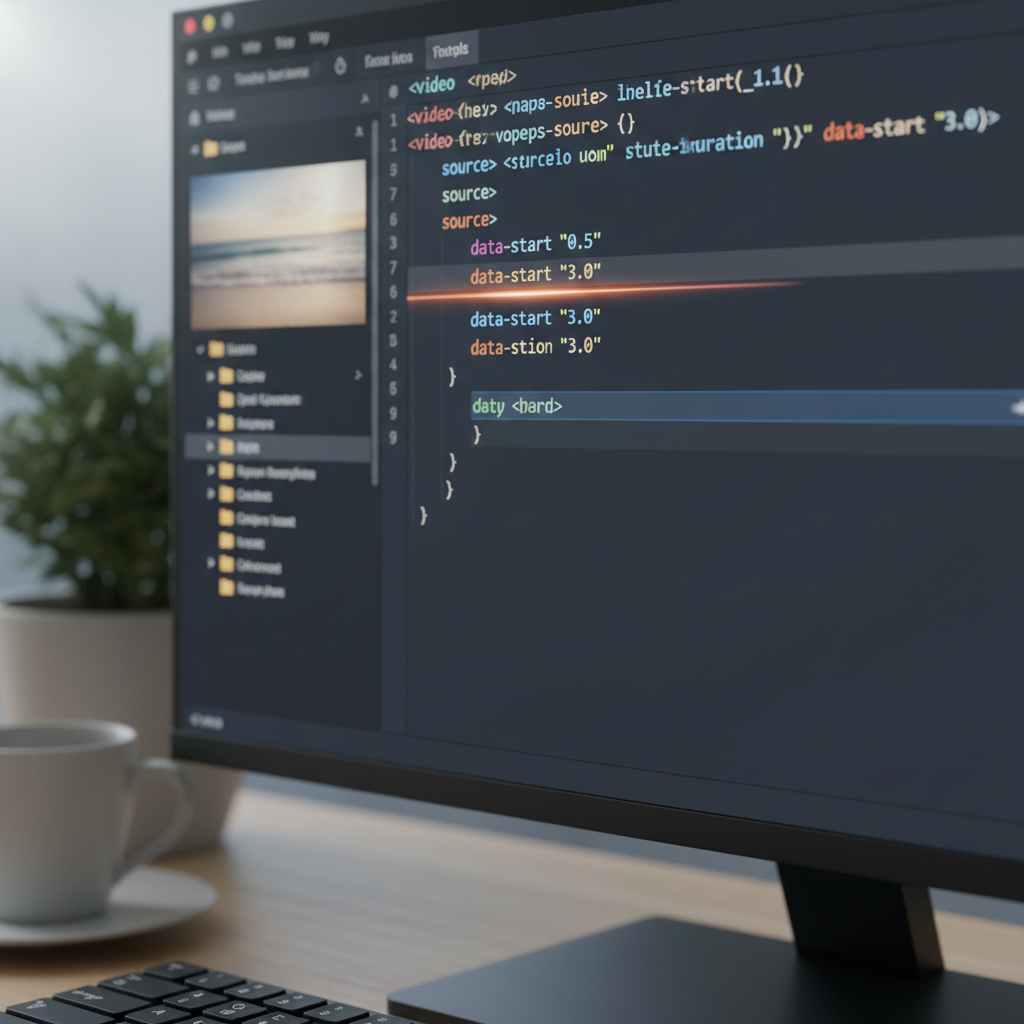
ไฟล์ HyperFrames ฉบับเล็กที่สุด
<!doctype html>
<html>
<body>
  <div data-composition-id="root" data-width="1920" data-height="1080">
    <h1 id="hero" data-start="0" data-duration="3" data-track-index="1">
      Hello HyperFrames
    </h1>
    <script src="https://cdn.jsdelivr.net/npm/gsap@3.14.2/dist/gsap.min.js"></script>
    <script>
      window.__timelines = {};
      const tl = gsap.timeline({ paused: true });
      tl.from("#hero", { y: 60, opacity: 0, duration: 0.6 }, 0.1);
      window.__timelines["root"] = tl;
    </script>
  </div>
</body>
</html>
npx hyperframes preview เปิด server, npx hyperframes render ได้ MP4
Data attributes, ที่ใช้บ่อย
ref: HyperFrames docs
| attribute | จำเป็นไหม | หมายเหตุ |
|---|---|---|
data-start | ใช่ทุก clip | วินาที หรืออ้าง id อื่น ("hero + 2") |
data-duration | ใช่สำหรับ img/div/composition | วิดีโอ/เสียงใช้ความยาวจริงของไฟล์ถ้าไม่ระบุ |
data-track-index | ใช่ทุก clip | integer; same-track ห้าม overlap. ไม่เกี่ยวกับ z-index (ใช้ CSS) |
data-media-start | ไม่ | ตัดต้นไฟล์ media (วินาที) |
data-volume | ไม่ | 0-1 สำหรับ audio |
data-composition-variables | ไม่ | declare variables บน <html>, drive UI ใน Studio + defaults ตอน render |
Skill ที่ HyperFrames bundle มาให้, สิ่งที่ทำงานต่อในตัวเอง
นี่คือสิ่งที่ AI agent ใช้ HyperFrames แล้ว ทำได้ตรง ๆ โดยไม่ต้องเขียน infrastructure เพิ่ม:
| feature | สั่งงาน | use case ในงานจริง |
|---|---|---|
| TTS narration (Kokoro) | hyperframes tts script.txt --voice af_heart | ทำ voice-over ภาษาอังกฤษคุณภาพ broadcast ในไฟล์เดียว |
| Transcribe (Whisper) | hyperframes transcribe vo.mp3 | สร้าง word-level JSON สำหรับ caption sync, ภาษาไทย/อังกฤษได้ทั้งคู่ |
| Captions แบบ karaoke | <div class="hf-caption-track"> | sync ตามเสียง, มี marker sweep / sketchout / scribble emphasis |
| Audio-reactive | map FFT band → GSAP property | logo เต้นตามจังหวะกลอง, background pulse ตามเสียง EDM |
| Background removal (u2net) | hyperframes remove-background avatar.mp4 | ตัด talking head ออกมาวางบน scene อื่น |
| Transitions | crossfade / wipe / shader transition | scene change ไม่ใช่ jump cut |
| Lottie / Three.js / Anime.js / GSAP | adapter pattern bundled | embed motion graphics ที่มีอยู่แล้วได้เลย |
Progressive Disclosure ของ rendering pipeline
ref: HyperFrames overview
HyperFrames แยกขั้น dev loop ไว้ชัดเจน, ทำให้ AI agent ทำงานได้แม่นโดยไม่เปลือง compute ตอนยังไม่จำเป็น:
| ขั้น | คำสั่ง | ใช้เมื่อ | cost |
|---|---|---|---|
| Lint | npx hyperframes lint | หลังเขียน HTML | < 1s, ในใจ |
| Validate | npx hyperframes validate | ตรวจ WCAG contrast + structure | ~10s |
| Inspect | npx hyperframes inspect | ตรวจ layout overflow แบบ visual | ~30s |
| Preview | npx hyperframes preview | ดูใน browser ก่อน render | live |
| Render | npx hyperframes render | ออก MP4 จริง | นาที ๆ ถึงหลายนาที |
แปลว่า AI agent ที่เขียน composition จะ:
- เขียน HTML
lint+validate(ไม่กี่วินาที, จับ error syntax/structure ทันที)inspect(ดูว่า text ไม่ล้น bubble)- ค่อย
renderตอนจบ
ไม่ใช่ "เขียนเสร็จ → render เลย → รอ 3 นาที → พบ bug → แก้ → render ใหม่" แบบ Premiere workflow
เขียน composition ให้ดี, 3 กฎสำคัญ
ref: Best practices ใน hyperframes skill
1. Deterministic เป็น first-class constraint
doc บอกเป็นข้อห้าม non-negotiable:
No
Math.random(),Date.now(), or time-based logic. Use a seeded PRNG if you need pseudo-random values.
ถ้าอยาก "random" → ใช้ mulberry32 กับ seed ที่ฟิกซ์ลงไปใน HTML, render ครั้งใดก็ได้ผลเหมือนกัน. กฎนี้ทำให้ regression test วิดีโอเป็นไปได้
2. Layout ก่อน Animation
หลักการคือ เขียน CSS layout ของ "hero frame" (ช่วงที่ทุก element โผล่พร้อมกัน) ให้ถูกก่อน แล้วค่อยใช้ gsap.from() animate เข้ามาที่ position นั้น
ห้ามตั้ง start state ออฟสกรีนแล้วเดาว่ามันจะลงตรงไหน, มอง layout ไม่เห็นจนกว่าจะ render และพังตอนนั้น
/* RIGHT, ตั้ง end state ก่อน */
.scene-content {
  display: flex; flex-direction: column;
  width: 100%; height: 100%;
  padding: 120px 160px; gap: 24px;
  box-sizing: border-box;
}
// แล้วค่อย animate INTO position นี้
tl.from(".title", { y: 60, opacity: 0, duration: 0.6 }, 0.1);3. Transitions ไม่ใช่ optional
ALWAYS use transitions between scenes. No jump cuts. No exceptions.
scene ที่ตัดดื้อ ๆ ดูเหมือนของ amateur ทันที. HyperFrames bundle crossfade / wipe / reveal / shader transition มาให้ใช้, ไม่ต้องเขียนเอง
HyperFrames vs Remotion, ตัวไหน

นี่คือคู่เปรียบเทียบที่ตรงที่สุด เพราะทั้งคู่เป็น "video as code"
| ด้าน | HyperFrames | Remotion |
|---|---|---|
| Source format | HTML + GSAP + data-* | React (TSX) + <Composition> |
| State / hook | ห้าม (deterministic rule) | ใช้ได้ แต่ต้องระวัง |
| AI เขียน | ตรง, HTML ที่ AI ถนัดที่สุด | ได้ แต่ต้องเข้าใจ React lifecycle |
| Bundled features | TTS, Whisper, background removal, captions, transitions | core engine, ของอื่นเป็น package แยก |
| Render | headless Chrome → MP4 | headless Chrome → MP4 |
| Adapter | GSAP / Anime.js / Lottie / Three.js / Web Animations API ใน skill | useCurrentFrame() + props |
| Studio (visual editor) | มี (drive ผ่าน data-composition-variables) | Remotion Studio |
| License / pricing | OSS | OSS + commercial license สำหรับองค์กรใหญ่ |
Rule of thumb:
- ถ้าทีมเป็น React shop + อยาก reuse component → Remotion
- ถ้าทีมเป็น content/marketing-driven + อยากให้ AI เขียนวิดีโอเอง + ใช้ TTS/captions in-built → HyperFrames
- ถ้าจะ port Remotion มา HyperFrames มี skill
remotion-to-hyperframesช่วย translate ได้บางส่วน
Pipeline ครบรอบ, ตัวอย่างจริง
ทำ social ad 30 วินาทีจาก script ภาษาไทย:
# 1. scaffold project
npx hyperframes init my-ad
cd my-ad

# 2. ทำ voice-over จาก script
npx hyperframes tts script.txt --voice af_heart --out vo.mp3

# 3. ถอดเสียง → word-level JSON
npx hyperframes transcribe vo.mp3 --out vo.json

# 4. เขียน index.html (Claude/Cursor เขียนให้ได้)
# อ้าง vo.mp3 + vo.json ใน composition

# 5. dev loop
npx hyperframes lint && npx hyperframes validate
npx hyperframes inspect
npx hyperframes preview # ดูใน browser

# 6. render variants
for HEAD in "ลดราคา" "แจกฟรี" "ทดลองใช้"; do
  npx hyperframes render --variables "{\"headline\":\"$HEAD\"}" \
    --output "ad-${HEAD}.mp4"
done
ทั้งกระบวนการ AI agent (Claude Code, Cursor) เขียนได้เกือบทั้งหมดเอง, คนเข้ามาแค่ตอน review ผ่าน preview กับสั่ง render
Gotcha สำคัญสำหรับ developer ไทย
ref: hyperframes skill ภายใน repo
- ภาษาไทยใน HTML ใช้ font-family ที่รองรับเสมอ, Premiere/CapCut มี font picker, HyperFrames ใช้ CSS ปกติ. ถ้าใส่
font-family: "LINE Seed Sans TH"ใน CSS แต่ไม่ได้วาง.woff2ในfonts/→ fallback เป็น Roboto ที่ render ไทยพัง. ใส่@font-faceให้ครบ - Whisper รู้จักไทยแต่ punctuation อาจหาย, transcribe ออก JSON มาแล้วเช็คก่อนใช้, บางครั้งคำติดกัน (
สวัสดีครับวันนี้แทนสวัสดี ครับ วันนี้) ต้อง clean manually - TTS Kokoro ยังไม่มี voice ภาษาไทยที่ดี, สำหรับ narration ไทย คุณภาพ broadcast ต้องใช้ ElevenLabs/Azure แล้ว transcribe กลับเข้า HyperFrames เอง
- ห้าม
repeat: -1, infinite loop ทำให้ render engine ค้าง. คำนวณรอบจาก duration เสมอ:repeat: Math.ceil(duration / cycleDuration) - 1 videoต้องmuted playsinlineทุกตัว, เสียงต้องอยู่ใน<audio>แยก. Chrome autoplay policy ไม่ให้ video เล่นเสียงตอนถูก capture- Path มี space ต้อง quote, repo บน
/Volumes/My SSD/...ที่มี space ในชื่อ ต้องระวังตอนเรียก CLI:npx hyperframes render --output "out/my video.mp4" - อย่า animate
visibility/display, GSAP animate ได้แค่ visual properties (opacity, transform, color). ใช้opacity: 0+pointer-events: noneแทน gsap.set()กับ element ใน scene อนาคต ทำไม่ได้, element ยังไม่อยู่ใน DOM ตอน page load. ใช้tl.set(selector, vars, timePosition)ภายใน timeline แทน
สรุป
HyperFrames เป็นคำตอบของ "ทำไม AI ตัดวิดีโอไม่ได้สักที", เพราะที่ผ่านมา source format ของ video software ไม่ใช่สิ่งที่ AI เขียนได้. พอ source กลายเป็น HTML ปกติ ทั้ง pipeline ก็เปลี่ยน:
- เลิกลาก timeline → เขียน HTML, AI ช่วยได้เต็มที่
- เลิก export N รอบ → variables + render-all
- เลิกพึ่ง memory ของ designer → composition คือ spec, diff ได้, review ผ่าน PR
- เลิกแยก caption pipeline → TTS / Whisper / sync caption อยู่ในตัว framework
ถ้าทีมคุณมี repetitive video work (ad template, product launch, social card, captioned reel), ลอง npx hyperframes init my-first-comp แล้วเขียน scene แรกในเวลา 10 นาที. ถ้าใช้ Claude Code / Cursor อยู่แล้ว ติดตั้ง hyperframes skill เข้าไป Claude จะเขียน composition ให้ตามคำสั่งภาษาไทยได้เลย (เช่น "ทำ title card 5 วินาที สีน้ำเงิน Sanoe พร้อม subtitle ภาษาไทย")
ดูตัวอย่างจริงและ component registry ที่ hyperframes.dev, หรือถ้าจะ port โปรเจกต์ Remotion เดิมมาใช้ มี skill remotion-to-hyperframes ที่ช่วย translate ให้แล้ว
30 นาทีคุณจะมีวิดีโอตัวแรกที่ render ได้ deterministic, AI ช่วยเขียนได้, review ผ่าน git diff ได้, ปลดล็อก video pipeline จาก "งานคน" เป็น "งาน code" จริง ๆ